Reading your campaign analytics
Opens, clicks, and deliverability explained.
Each campaign has its own analytics, and /admin/analytics shows the picture across all campaigns.
Per-campaign
Open a campaign to see:
- Sent, delivered, bounced - how many made it.
- Open rate - with bot-open filtering, so automated inbox scans don't inflate the number.
- Click rate and which links were clicked.
- Unsubscribes from that campaign.
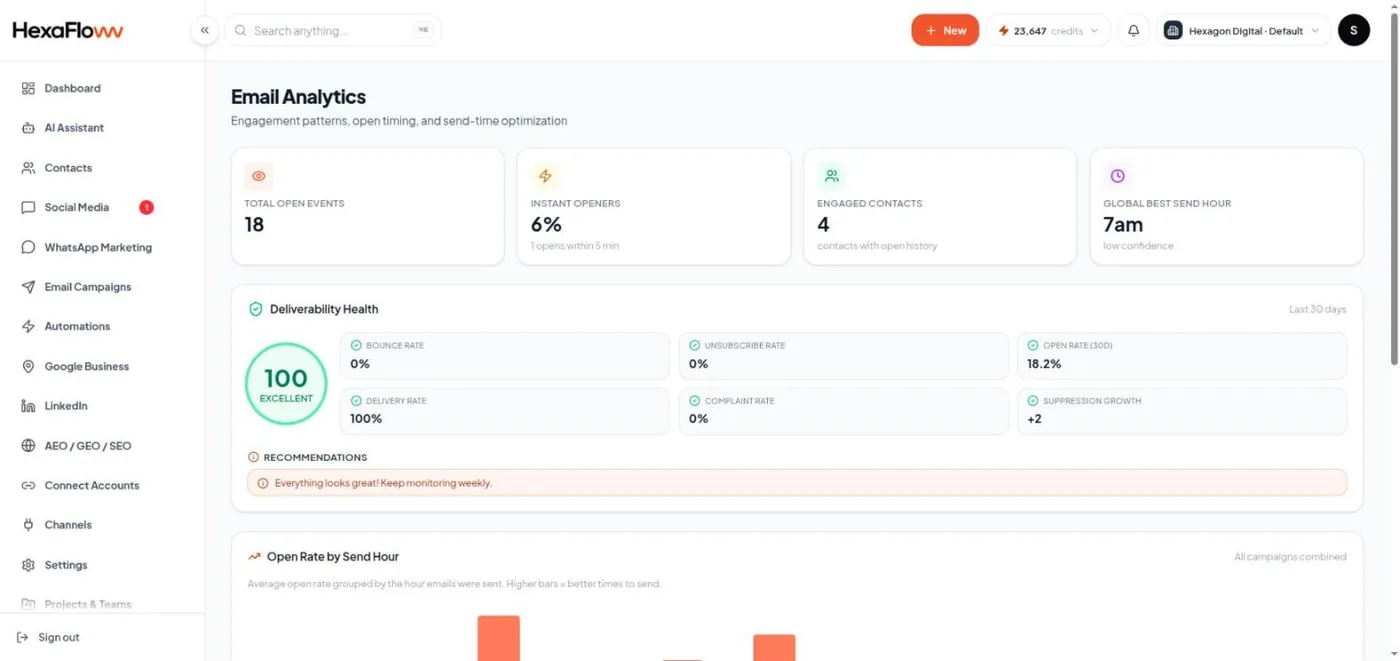
Global analytics
/admin/analytics covers open trends over time, your best sending hours, and deliverability signals (bounce rate, spam complaints) so you can spot a list or sender problem early.
What the numbers mean
- Open rate is a soft signal - Apple Mail Privacy and similar features pre-load images, so treat trends as more reliable than absolute values.
- Click rate is the stronger engagement signal.
- A rising bounce rate means your list has stale addresses - clean it.
- Any spam complaints - tighten your audience and check your content and frequency.
Compare WhatsApp read rate with email open rate for the same period on the WhatsApp analytics page.