API keys
Create keys for sending contacts in from your own code.
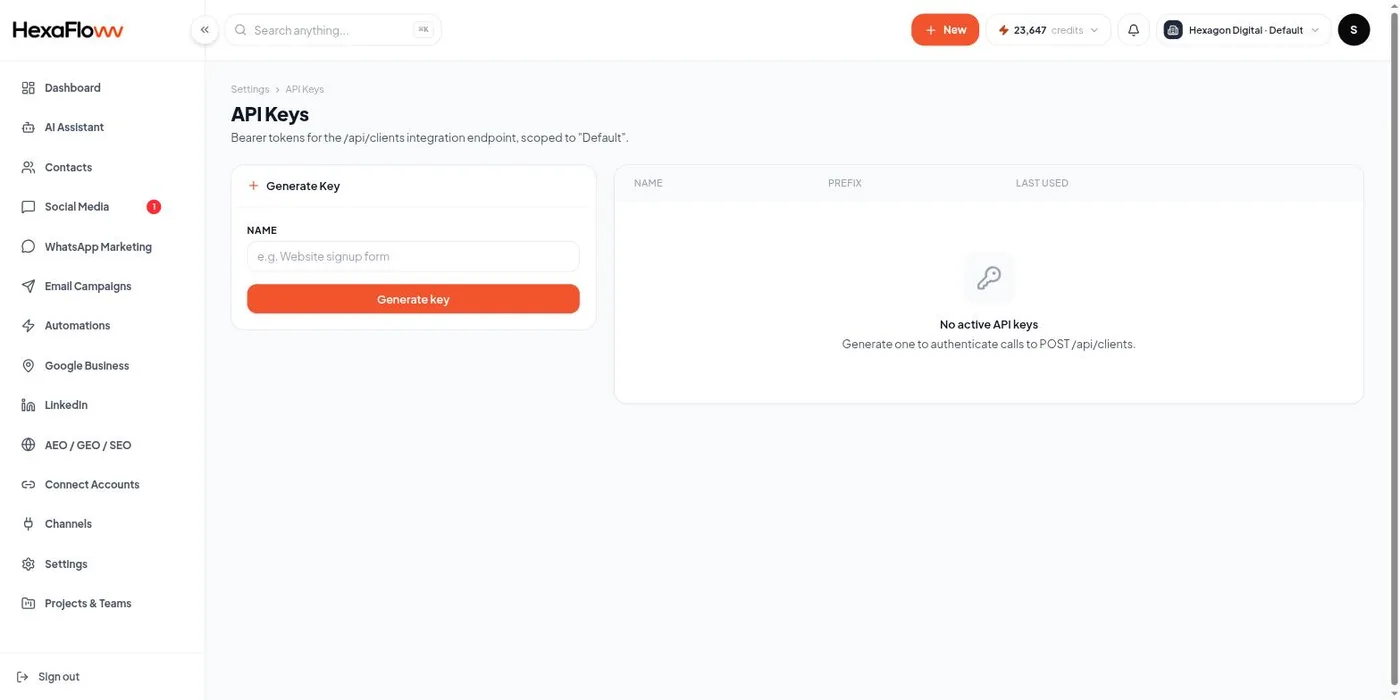
API keys let your own systems add or update contacts in a project programmatically. Manage them on the API Keys page (/admin/settings/api-keys) - you need settings access, so Admin only.
Create a key
- In the Generate Key box, name it after where it'll be used, then click Generate key.
- Copy the key now - it's shown only once. Store it somewhere safe.
- Send it as a Bearer token -
Authorization: Bearer <key>- on yourPOST /api/clientsrequests.
Using it
Send a POST request per contact with a JSON body (email, name, phone, custom fields). Contacts are created or updated with the same de-duplication as an import.
Revoking
Revoke a key from its row the moment it's no longer needed or may have leaked. Revoking is immediate; create a new key and update your integration.
Each key is scoped to the project it was created in. A key for Project A can't touch Project B's contacts.
If you just need to receive data from a form or another tool, a custom webhook is usually simpler than writing API code.