Billing, invoices & GST details
Update payment details, download invoices, and add your GSTIN.
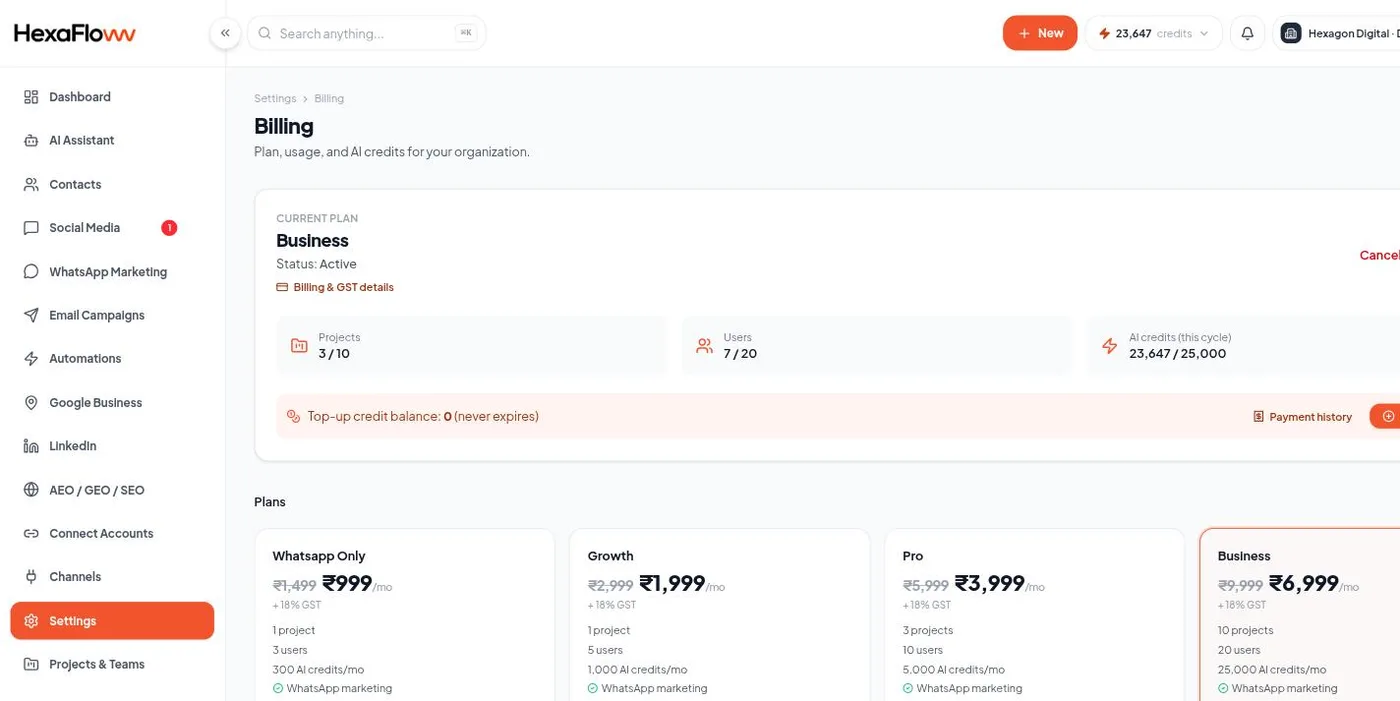
Everything about your subscription is under Settings → Billing (/admin/settings/billing).
Your plan
See your current plan, what it includes, and your AI credit balance. In the Plans list, pick a plan and choose Upgrade or Switch to this plan - see Your plan, billing & AI credits for how plans and credits work.
Payment
Recurring billing runs through Razorpay Subscriptions. If a payment fails you'll get email reminders and an in-app banner; unresolved, sending is eventually paused until the account is current.
Invoices
Open Payment history for past charges, each with a PDF invoice download. Use these for your accounting.
GST details (India)
Add your billing profile (legal name, address, and GSTIN) so your invoices are raised correctly with GST. A verified GSTIN means B2B tax invoices; without one, invoices still issue but as B2C.
AI credit top-ups
Buy extra AI credits from the credits chip in the header or the top-up button here. Top-up credits don't expire.