Connect LinkedIn
Link a LinkedIn Company Page for posts and comment replies.
Connecting LinkedIn links a Company Page so you can publish posts and reply to comments on them from HexaFloww.
LinkedIn has no private messaging for third-party apps, so there is no LinkedIn inbox or DM support — only posts and comments.
Before you start
- You need the Admin or Manager role.
- You must be an administrator of the LinkedIn Company Page.
- Your plan must include the social features.
Connect a Company Page
-
Open the LinkedIn connect page. Sidebar → Connect Accounts → LinkedIn, or go to
/admin/connect-accounts/linkedin. -
Sign in with LinkedIn. Click the connect button and approve the requested permissions on LinkedIn.
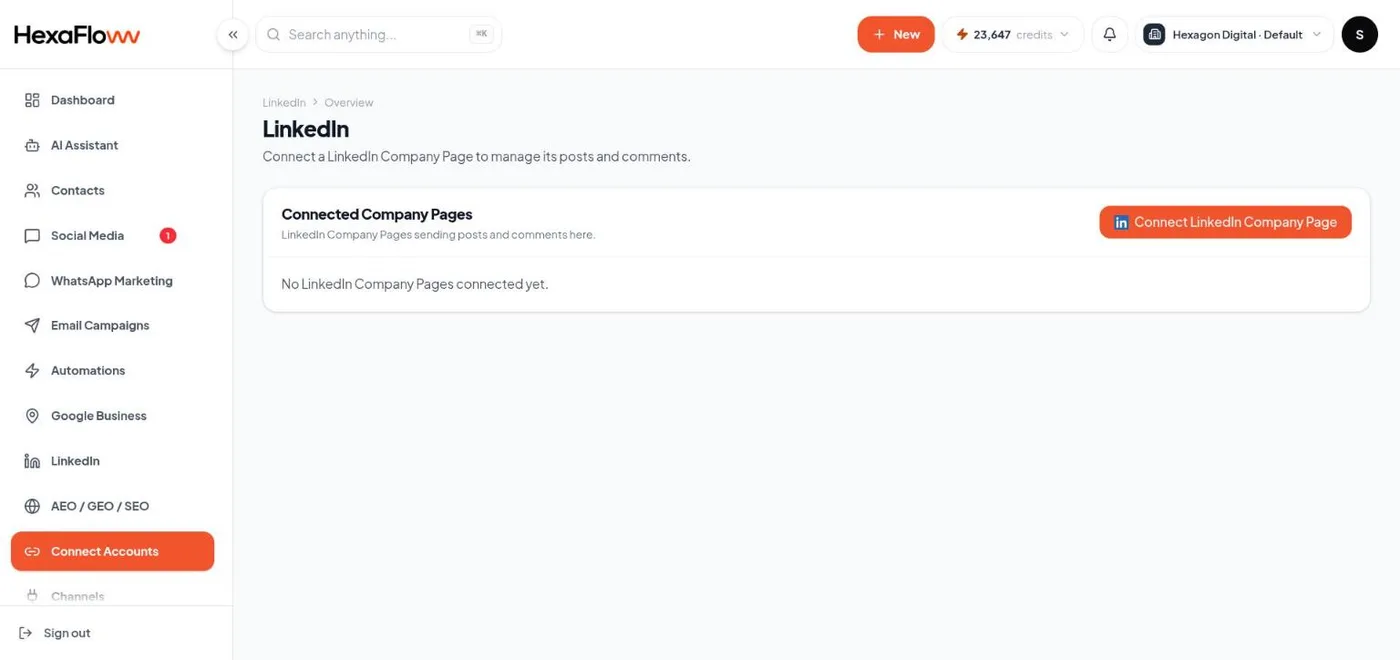
LinkedIn connect page with the sign-in button -
Choose which Company Pages to connect. HexaFloww lists every Company Page you administer. Tick the ones you want and click Connect selected. Each becomes its own entry in the connected list.

Company Page picker with checkboxes
Unlike Facebook and Instagram, LinkedIn is not capped to one page per project — connect as many Company Pages as you manage.
Common problems
- A page you manage isn't listed — you're not a full administrator of it on LinkedIn, or the connection request didn't include Company Page access. Reconnect and approve every permission.
- Connection shows an error after a while — the LinkedIn token expired and couldn't refresh automatically. Use Refresh Connection, or disconnect and reconnect.
Next steps