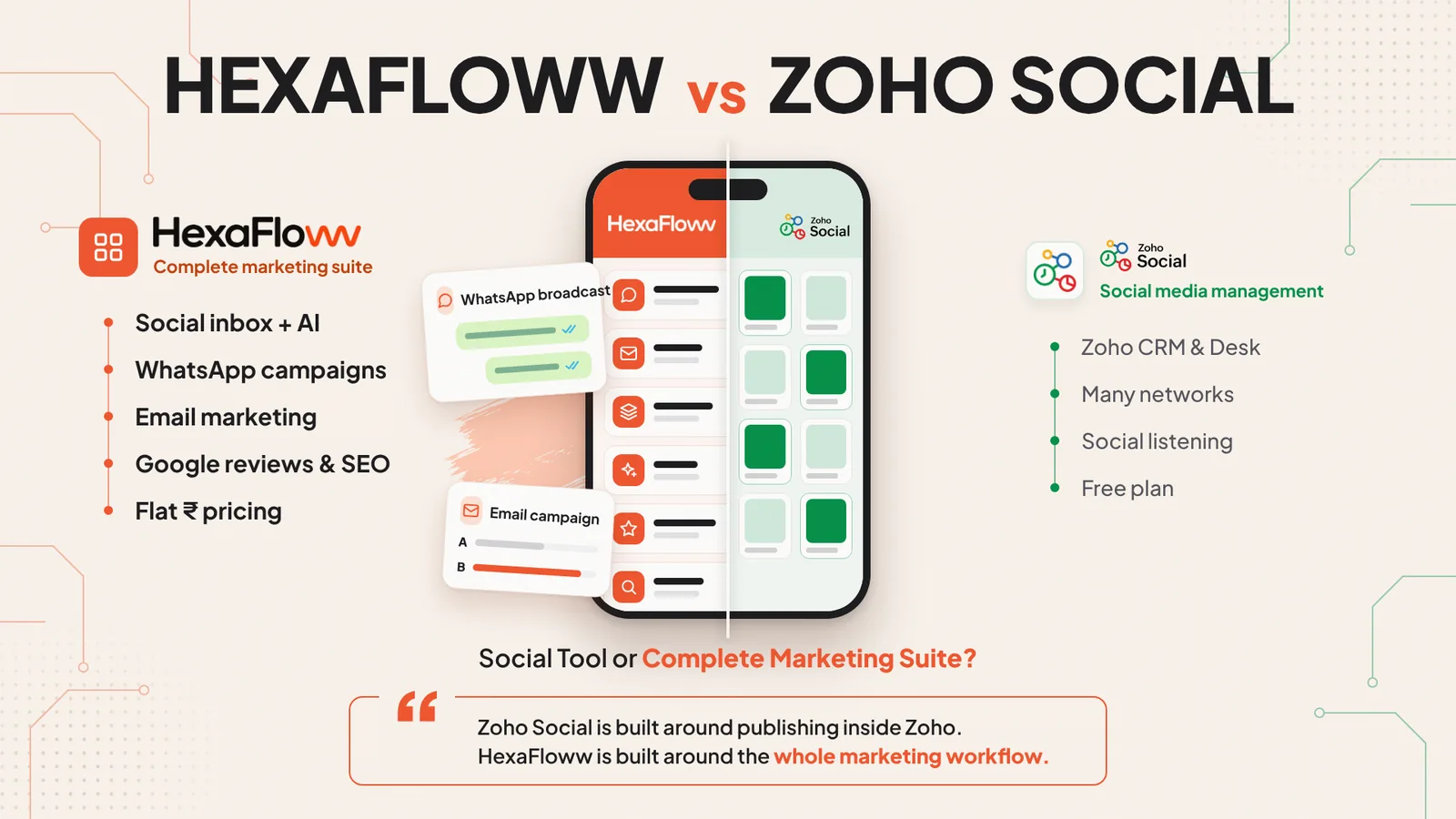

Comparison

HexaFloww vs Zoho Social: One Platform vs an App Bundle

Zoho Social is a social media scheduler and monitoring tool that works best inside the Zoho suite, with WhatsApp and the inbox on its Premium plan. HexaFloww is one platform for social DMs, AI replies, WhatsApp and email campaigns, bookings and Google reviews from ₹999/month. Here’s an honest, side-by-side look.

View as Markdown
HexaFloww vs Zoho Social comparison: Indian SMBs, D2C brands and agencies that want social, WhatsApp and email in one platform.
The short answer

HexaFloww or Zoho Social?
Here’s the honest answer.

Choose HexaFloww if you want social DMs, AI replies, WhatsApp and email campaigns, bookings and Google reviews in one platform from ₹999/month, without stitching apps together. Choose Zoho Social if you already run on Zoho CRM and Desk and mainly need publishing and monitoring across many networks, with agency plans for client work.

See the full comparison
4 areas where HexaFloww comes out ahead
2 ties where it depends on your business
2 areas where Zoho Social is stronger

Key takeaways

01

Zoho Social is a scheduling and monitoring app that connects to other Zoho apps; HexaFloww is one marketing platform.

02

Zoho Social’s inbox and WhatsApp Business channel are listed on Premium and Agency plans; HexaFloww includes WhatsApp on every plan.

03

HexaFloww adds autonomous AI replies, WhatsApp campaigns, email and bookings without extra apps.

04

Zoho Social leads on publishing to many networks, monitoring, and Zoho CRM and Desk integration.

05

Zoho Social has a free plan and a 15-day trial; HexaFloww has a 3-day trial.

Zoho Social is part of Zoho’s large family of business apps. It schedules and monitors posts across many networks and connects to Zoho CRM and Desk. HexaFloww is one platform for social conversations, WhatsApp, email and local marketing.

This page compares the two on the inbox, WhatsApp, AI, scheduling, monitoring, email, agencies and pricing. HexaFloww is our product, so read it as an informed opinion. Every Zoho Social fact is taken from Zoho’s own website.

Quick verdict

Two good tools.
Built for different jobs.

Zoho Social is a solid publisher and monitor, best inside the Zoho stack. HexaFloww covers conversations and campaigns in one platform: a four-channel inbox, AI replies, WhatsApp and email campaigns, bookings and Google reviews, without extra apps.

Best for most Indian businesses

Choose HexaFloww if…

  • You want DMs, WhatsApp and email in one platform
  • You want AI to answer DMs on its own
  • You want WhatsApp on your entry plan
  • You take bookings or manage Google reviews
  • You don’t use Zoho CRM

Choose Zoho Social if…

  • You already use Zoho CRM and Desk
  • You publish to many networks
  • You want social listening and monitoring
  • You want a free plan
Side by side

HexaFloww vs Zoho Social.
Feature by feature.

Included Partial / add-on Not offered

Conversations

Social inbox

HexaFloww: Instagram, Messenger, WhatsApp, TikTok (Growth)

Zoho Social: On Premium plan

WhatsApp

HexaFloww: Campaigns, templates, chats on every plan

Zoho Social: WhatsApp Business channel on Premium and Agency

AI replies

HexaFloww: Autonomous AI trained on your website

Zoho Social: AI credits for content

Comment-reply rules

HexaFloww: Keyword rules

Zoho Social: Not described

Publishing

Scheduling

HexaFloww: Facebook, Instagram (incl. stories), Google Business

Zoho Social: Many networks, bulk scheduling, SmartQ

Monitoring

HexaFloww: Not offered

Zoho Social: Monitoring and listening

Approvals & reports

HexaFloww: Roles from admin to viewer

Zoho Social: Approvals and custom reports on Premium

Beyond social

Email campaigns

HexaFloww: Builder, A/B tests, Smart Send (Growth)

Zoho Social: Separate Zoho app

Bookings

HexaFloww: WhatsApp booking with reminders

Zoho Social: Not offered

Google reviews & SEO

HexaFloww: Review replies, Search Console, GA4

Zoho Social: Not offered

CRM integration

HexaFloww: HubSpot and Shopify

Zoho Social: Zoho CRM and Desk

Pricing

Free option

HexaFloww: 3-day trial

Zoho Social: Free plan and 15-day trial

Price shown

HexaFloww: ₹999–₹6,999/month published

Zoho Social: Varies by region

Area by area

8 areas.
Each with a clear winner.

Area 01 · One platform

HexaFloww

One platform vs an app bundle

With Zoho, social, email and CRM are separate apps. HexaFloww puts marketing conversations in one place.

HexaFloww

  • Inbox, WhatsApp, email, AI and bookings in one login
  • One contact list across every channel
  • Journeys that mix email and WhatsApp

Zoho Social

  • Social publishing and monitoring
  • Email in a separate Zoho app
  • Connects to Zoho CRM and Desk

Verdict: HexaFloww wins for an all-in-one setup.

See automated journeys

Area 02 · Inbox

HexaFloww

Social inbox on lower plans

HexaFloww includes the inbox on Growth. Zoho Social lists it on Premium.

HexaFloww

  • Instagram, Messenger, WhatsApp and TikTok
  • Assign chats with an email to the assignee
  • Keyword auto-replies and comment rules

Zoho Social

  • Inbox on Premium
  • WhatsApp and Telegram channels on Premium

Verdict: HexaFloww wins.

See the unified inbox

Area 03 · WhatsApp

HexaFloww

WhatsApp marketing

HexaFloww runs full WhatsApp campaigns from its entry plan.

HexaFloww

  • Template campaigns with safety rails
  • WhatsApp Flows and booking
  • Real cost per campaign

Zoho Social

  • WhatsApp Business account on Premium and Agency
  • WhatsApp messages in the inbox

Verdict: HexaFloww wins.

Explore WhatsApp marketing

Area 04 · AI

HexaFloww

AI replies

HexaFloww’s AI answers DMs on its own using your knowledge.

HexaFloww

  • AI auto-reply trained on your website and documents
  • Hands chats to a human when it should
  • Scores chats for buying intent

Zoho Social

  • AI credits by plan (5 to 80)
  • AI for content

Verdict: HexaFloww wins.

How AI auto-replies work

Area 05 · Publishing

Zoho Social

Publishing and monitoring: Zoho Social’s strength

Zoho Social publishes to more networks and monitors conversations about your brand.

HexaFloww

  • Facebook, Instagram (incl. stories) and Google Business
  • No monitoring or listening

Zoho Social

  • Many networks
  • Bulk scheduling and SmartQ
  • Monitoring and custom reports

Verdict: Zoho Social wins.

Area 06 · Zoho integration

Zoho Social

Zoho CRM and Desk

If your business runs on Zoho, Zoho Social plugs straight in.

HexaFloww

  • HubSpot and Shopify connectors
  • REST API

Zoho Social

  • Zoho CRM and Desk integrations on Premium

Verdict: Zoho Social wins for Zoho users.

Area 07 · Agencies

Tie

Agencies

Both have agency options.

HexaFloww

  • 3–10 projects with separate WhatsApp, inbox and AI
  • Campaigns and journeys per client

Zoho Social

  • Agency plans with 10 or 20 clients
  • Client portals and branded reports

Verdict: A tie: HexaFloww for full-service clients, Zoho Social for publishing-only clients.

HexaFloww for agencies

Area 08 · Pricing

Tie

Pricing

HexaFloww publishes rupee prices. Zoho Social shows regional prices and has a free plan.

HexaFloww

  • ₹999 to ₹6,999 a month
  • WhatsApp included from the entry plan

Zoho Social

  • Free plan, then Standard to Agency Plus
  • Regional pricing, up to 33% off yearly
  • 15-day trial

Verdict: A tie.

See HexaFloww pricing
Who should choose which

Pick by business type.
And where Zoho Social wins.

Instagram-led D2C brands

HexaFloww

DM inbox, AI replies, WhatsApp and email.

HexaFloww for e-commerce

Clinics & salons

HexaFloww

DMs, WhatsApp booking and Google reviews.

HexaFloww for healthcare

Schools & institutes

HexaFloww

Admissions enquiries from Instagram and WhatsApp.

HexaFloww for education

Full-service agencies

HexaFloww

Inbox, WhatsApp and email per client project.

HexaFloww for agencies

Zoho-based businesses

Zoho Social

Social inside Zoho CRM and Desk.

Publishing-focused teams

Zoho Social

Scheduling and monitoring across many networks.

Where Zoho Social is the better choice

A useful comparison is clear about our own gaps too.

Zoho ecosystem

Connects to Zoho CRM and Desk.

Publishing

Many networks with bulk scheduling.

Monitoring

Track conversations about your brand.

Free plan

A forever-free plan to start.

Migration

Switching from Zoho Social?
Six steps, one afternoon.

Moving to HexaFloww is mostly connecting accounts and setting up replies.

  1. 01

    Connect Facebook and Instagram

    Connect your Page and Instagram account.

  2. 02

    Connect WhatsApp

    Connect your WhatsApp Business number.

  3. 03

    Import contacts

    Export contacts from Zoho CRM and import them as a CSV.

  4. 04

    Turn on AI replies

    Train the AI on your website and documents.

  5. 05

    Invite your team

    Add teammates with the right role.

  6. 06

    Move scheduled posts

    Recreate upcoming Facebook, Instagram and Google Business posts.

Tip: You can keep Zoho CRM as your system of record and run marketing conversations in HexaFloww.

FAQ

HexaFloww vs Zoho Social.
Questions people ask.

Still have questions?Talk to us

Yes, if you want conversations and campaigns in one place. HexaFloww puts Instagram, Messenger, WhatsApp and TikTok DMs in one inbox with AI replies, and adds WhatsApp and email campaigns, bookings and Google reviews. If you live in Zoho CRM and mainly publish posts, Zoho Social fits that stack.